Notewell — the AI meeting notes app Framer template
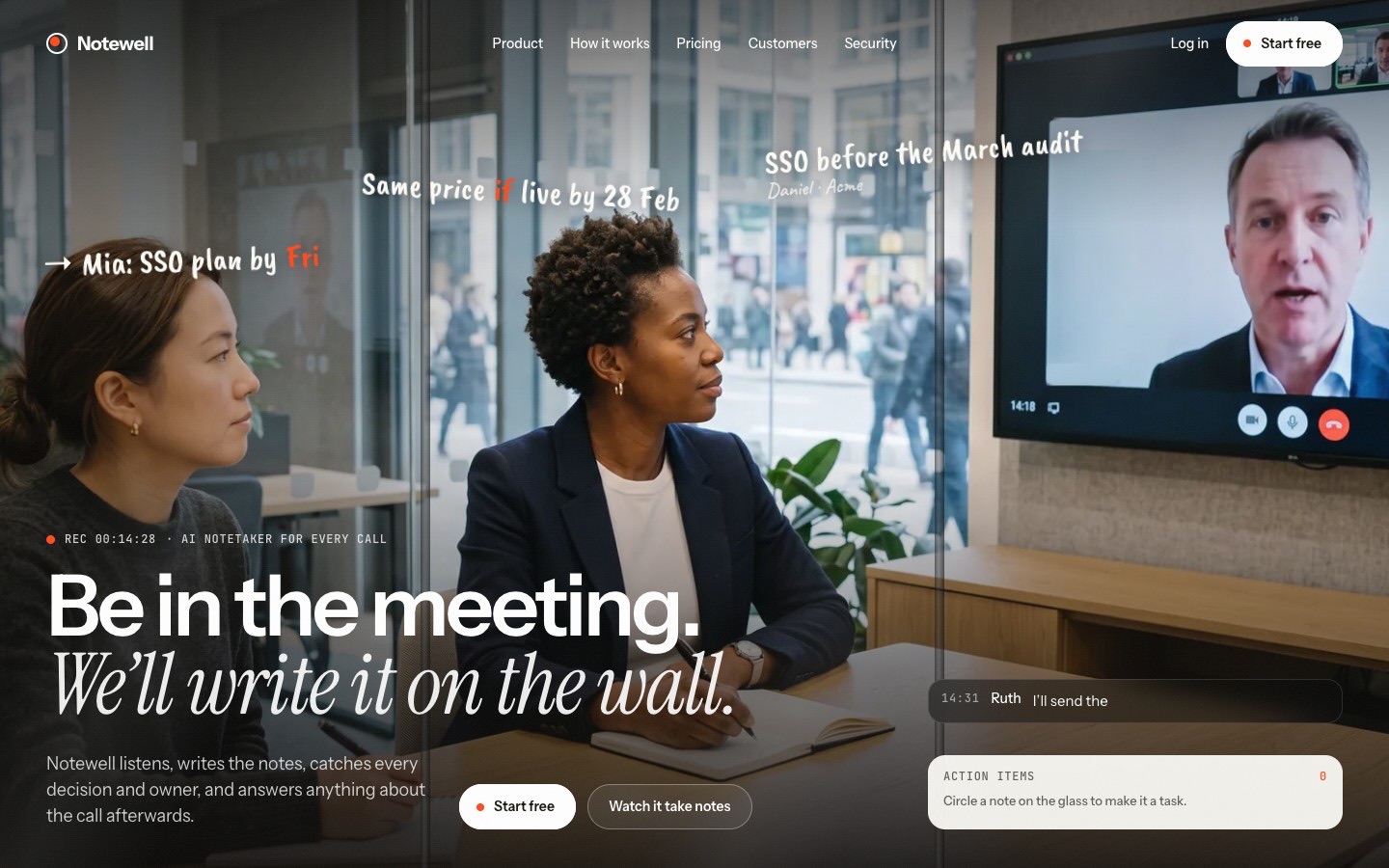
The AI meeting notes template built around a meeting seen through a glass wall. A live caption types along while handwritten notes appear on the glass next to the people who said them; circle a note with the marker cursor and it drops into the action items tray. Below it each section has one thing to try: turn the pages of a scrawled notebook into one clean summary, spin a jog wheel to rewind a meeting chapter by chapter, flip name tents to see who promised what, press a speakerphone and ask a past meeting a question, drag a sticky note onto a person to send the follow-up, open frosted doors into sales, hiring, support and product rooms, tear off the printed summary, flip the door sign to off the record, drag the end of the table to add seats and see the price, and hang up to end the meeting. Customer stories and a journal in the CMS, a joining-the-meeting loader and page transitions, and a Start Here page.
What Notewell is
An AI meeting notes site built around a meeting seen through a glass wall: a live caption types along while handwritten notes appear next to the people who said them, and circling a note turns it into an action item. Every section below has one thing to try, from turning the pages of a scrawled notebook to hanging up the call.
What's inside Notewell
Signature moments
- Notes on the glass
A live caption types along while handwritten notes appear next to whoever said them.
- Circle it, it's a task
Circle a note with the marker cursor and it drops into the action items tray.
- A notebook that cleans up
Turn three scrawled pages and they become one clean meeting summary.
- A rewind jog wheel
Spin the wheel to scrub a meeting chapter by chapter.
Win the buyer
- Ask a past meeting
Press the speakerphone, pick a question and the answer types out with its timestamp.
- Name tents
Flip the tents on the table to see who promised what and how long they talked.
- Seat pricing
Drag the end of the table to add seats; monthly and yearly totals work themselves out.
- Native forms
Contact, log in and sign up forms with loading, sent and error states.
Made to edit
- Stories and journal in the CMS
Add a customer story or post once and it shows on the lists and its own page.
- Tidy styles
Colour and text styles in one place; change one and every page follows.
- Start Here guide
A Start Here page walks through the first changes, plus a Design System page.
- Ready to launch
Page titles, social image, favicon, a 404 and a legal page are already set.
Every page, ready to go
15 page types come with the remix, each with its own desktop, tablet and phone layout.
Who Notewell is built for
A AI meeting notes app website template built for AI meeting assistants, AI notetakers, transcription apps, voice AI products and any business that sells the way they do.
From remix to live
Click Remix and the whole project copies into your Framer account.
Open the Start Here page inside the project: it lists every edit — words, colours, fonts, images, CMS rows — no code.
Add your domain in Site Settings and hit Publish. Email support from the person who built it if you get stuck.
Always included
- A Start Here page inside the project — every edit this template needs, listed
- Edit without code — colours, fonts, text and images from the properties panel and the CMS
- Free lifetime updates
- Email support: solofoundryhq@gmail.com
Get it
Want it set up for you? We fit Notewell to your brand, colours, words and photos and hand you the finished site. From $99, template included.
See setup packages →Questions, answered
Do I need to know how to code to use Notewell?
No. Notewell is a Framer template: every word, colour, font and image is edited on the Framer canvas or in the properties panel and the CMS. A Start Here page inside the project lists every edit a AI meeting notes app site needs.
Do I need a paid Framer plan?
Not to remix and edit — a free Framer account is enough. To publish on your own domain you'll need a Framer site plan, paid to Framer, not to us.
What do I get?
The plain remix link: one click copies the whole Notewell project into your Framer account. No email, no sign-up with us.
Can I use Notewell for client work?
Yes — the free licence covers your own site or a client's. Reselling the template itself isn't allowed.
Is Notewell responsive?
Yes. Notewell ships with its own desktop, tablet and phone layouts, a real mobile menu, and it is checked down to 320 px wide before it is listed.
Can I get a refund?
It's free — remix it and try it. If you want more, All-Access is $199 once for every template we've made and every one we'll make.