Mainstage — the event & conference Framer template
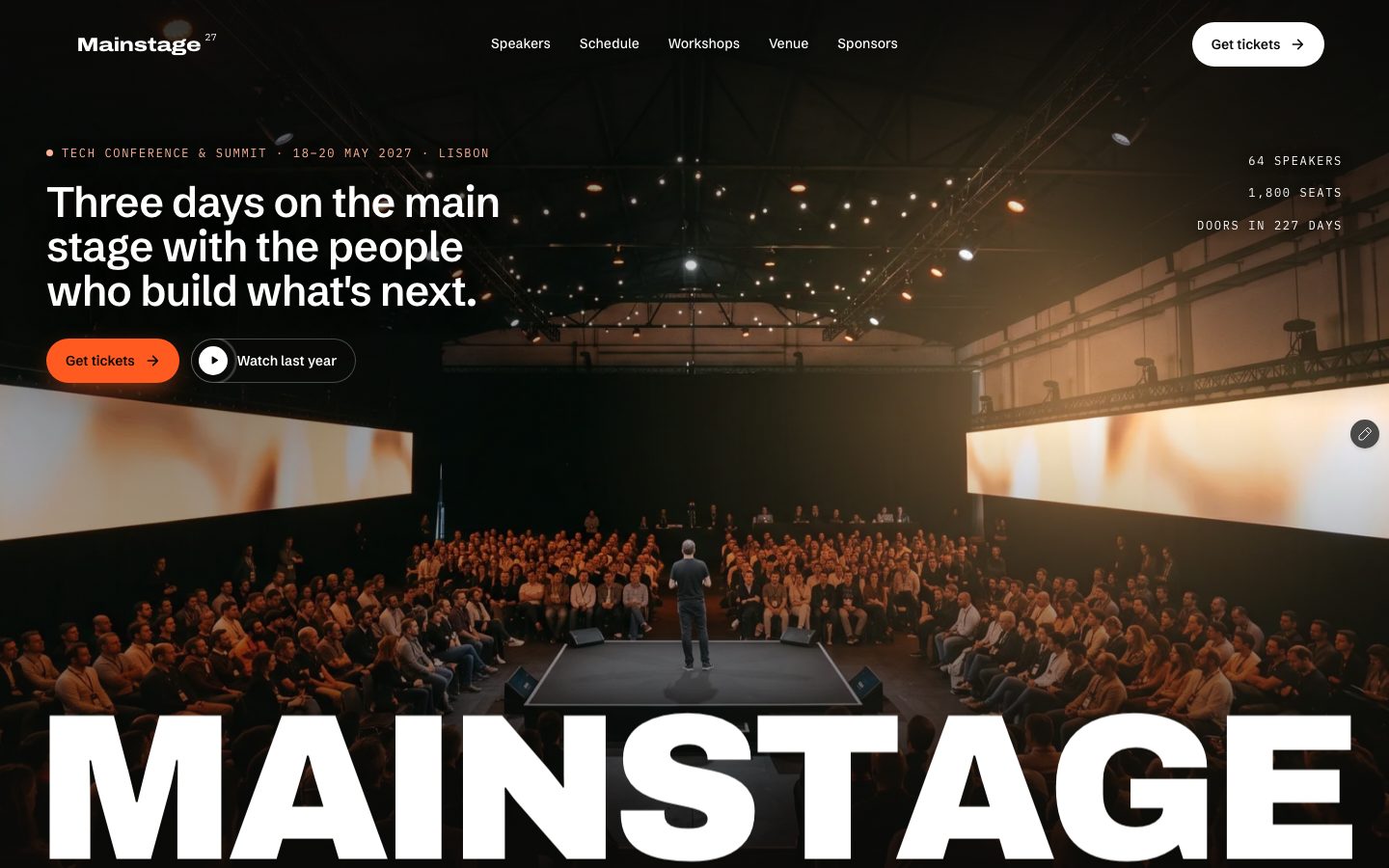
The event and conference template that opens on the room itself. A house-lights loader, then a full-screen photo of the main stage with your event's name across it and light that follows the cursor — then a lineup of speakers that light up on hover, a schedule you can filter by day, track and room, tracks that swap as you scroll, workshops with seats left, three passes on an orange band with a comparison table, a three-step registration form, venue, travel and past editions. 53 pages, 9 CMS collections, free.
What Mainstage is
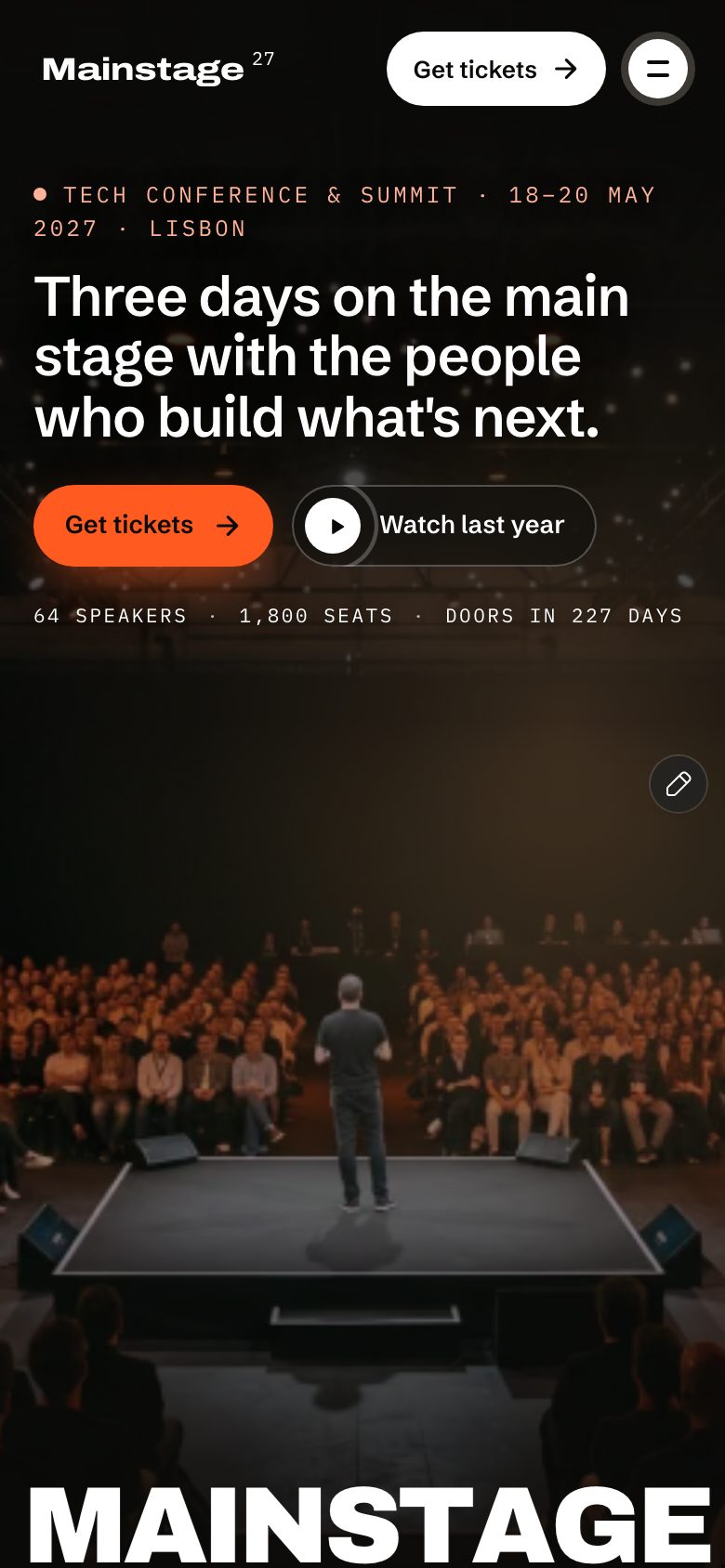
An event and conference site that opens on the room itself: a full-screen photo of the main stage with your event's name across it and light that follows the cursor. Behind it: speakers, a filterable schedule, session and workshop pages, tickets with a comparison table and a three-step registration form.
What's inside Mainstage
Signature moments
- A hero that is the room
A full-screen photo of your main stage with the event name set across it and warm light that follows the cursor.
- A lineup that lights up
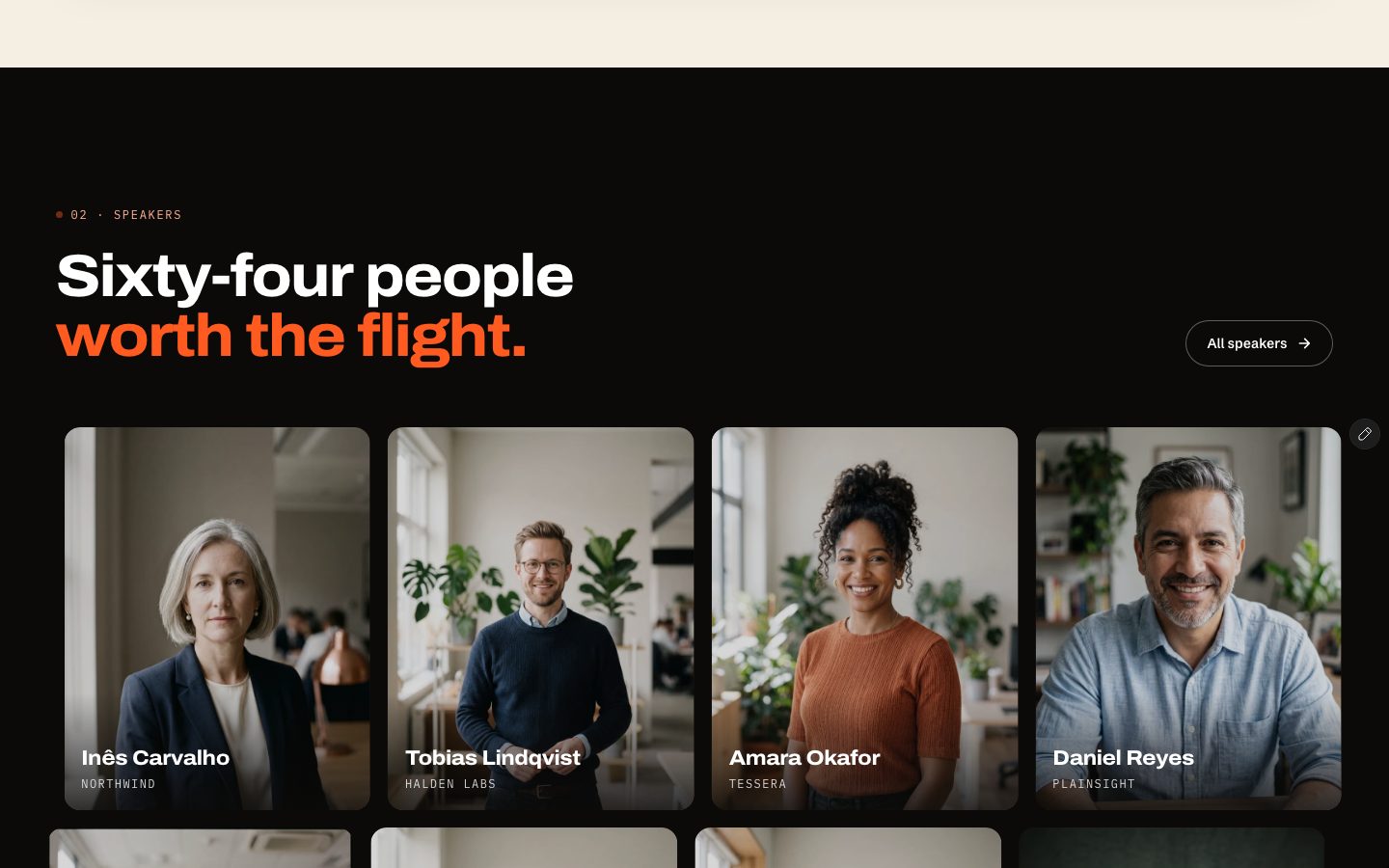
Speaker portraits rest dimmed; hover one and it comes to full colour with the talk title and slot.
- A schedule people can filter
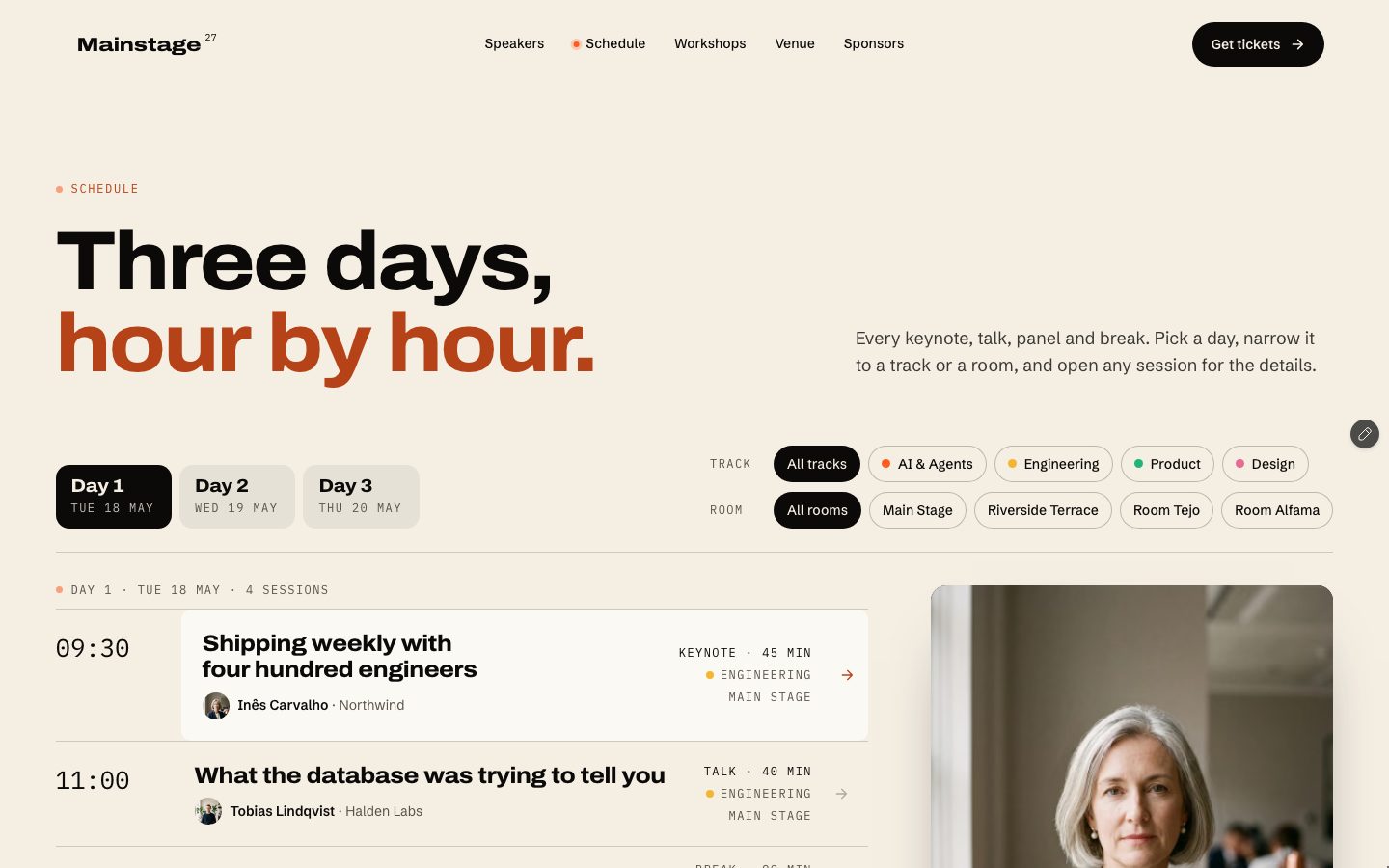
Day tabs, track chips and rooms narrow the programme, and the speaker’s photo follows the row you point at.
- A live countdown to doors
The closing section counts down days, hours, minutes and seconds to the date in your Site row.
Built to sell tickets
- Three passes and a comparison table
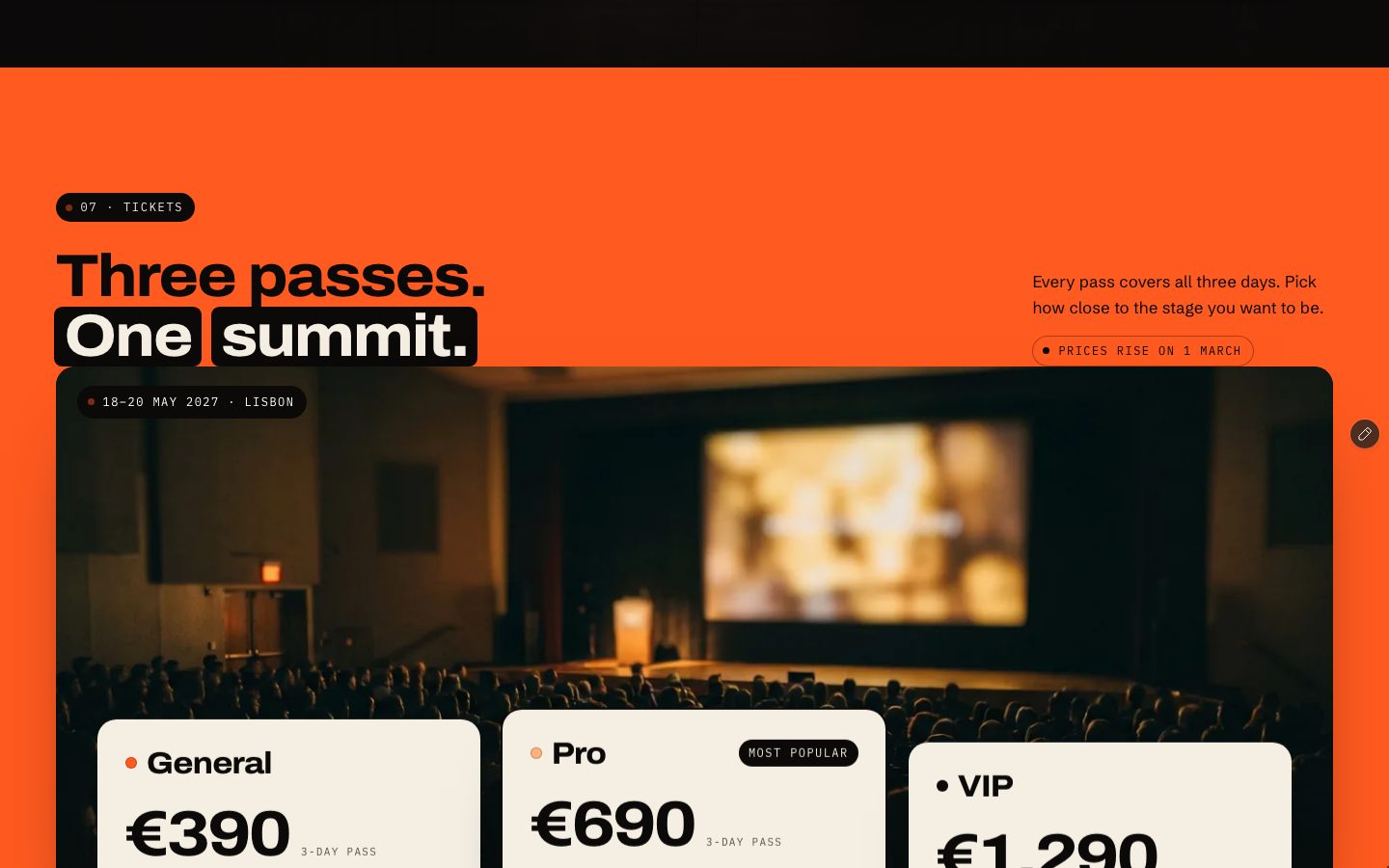
Ticket cards from the CMS with perks and sold-out states, plus a table that shows what each pass includes.
- A three-step registration form
Pick a pass and quantity, add workshops, fill in your details, with a live total and a review before sending.
- Workshops with seats left
Each workshop shows a seats bar, a sold-out state and a waitlist link, and adds itself to registration.
- Sponsor pitch and contact forms
A sponsor page with packages and an inquiry form, a contact form that knows what the visitor asked about.
Content, motion & care
- Nine CMS collections
Site, Speakers, Tracks, Sessions, Workshops, Tickets, Sponsors, FAQ and News — every speaker, session, workshop and post gets its own page.
- Venue, travel and past editions
A venue page with rooms and a drawn map, travel and partner hotels, and a gallery of earlier editions with a photo viewer.
- A house-lights loader and a curtain
On the first visit light sweeps across the event name, skippable; between pages a curtain drops with the next page’s name.
- Phone-first, keyboard-clean
Its own desktop, tablet and phone layouts, a full-screen phone menu, every control reachable by keyboard, AA contrast.
Every page, ready to go
24 page types come with the remix, each with its own desktop, tablet and phone layout.
Who Mainstage is built for
A event & conference website template built for tech conferences, AI and developer summits, startup events and product launches, festivals and expos and any business that sells the way they do.
From remix to live
Click Remix and the whole project copies into your Framer account.
Open the Start Here page inside the project: it lists every edit — words, colours, fonts, images, CMS rows — no code.
Add your domain in Site Settings and hit Publish. Email support from the person who built it if you get stuck.
Always included
- A Start Here page inside the project — every edit this template needs, listed
- Edit without code — colours, fonts, text and images from the properties panel and the CMS
- Free lifetime updates
- Email support: solofoundryhq@gmail.com
Get it
Want it set up for you? We fit Mainstage to your brand, colours, words and photos and hand you the finished site. From $79, template included.
See setup packages →Questions, answered
Do I need to know how to code to use Mainstage?
No. Mainstage is a Framer template: every word, colour, font and image is edited on the Framer canvas or in the properties panel and the CMS. A Start Here page inside the project lists every edit a event & conference site needs.
Do I need a paid Framer plan?
Not to remix and edit — a free Framer account is enough. To publish on your own domain you'll need a Framer site plan, paid to Framer, not to us.
What do I get?
The plain remix link: one click copies the whole Mainstage project into your Framer account. No email, no sign-up with us.
Can I use Mainstage for client work?
Yes — the free licence covers your own site or a client's. Reselling the template itself isn't allowed.
Is Mainstage responsive?
Yes. Mainstage ships with its own desktop, tablet and phone layouts, a real mobile menu, and it is checked down to 320 px wide before it is listed.
Can I get a refund?
It's free — remix it and try it. If you want more, All-Access is $199 once for every template we've made and every one we'll make.