TURBINE — the AI SaaS & startups Framer template
Press Run and the product executes in front of you — stages light, the log typesets, the output lands. An AI SaaS template that runs, not screenshots.
What TURBINE is
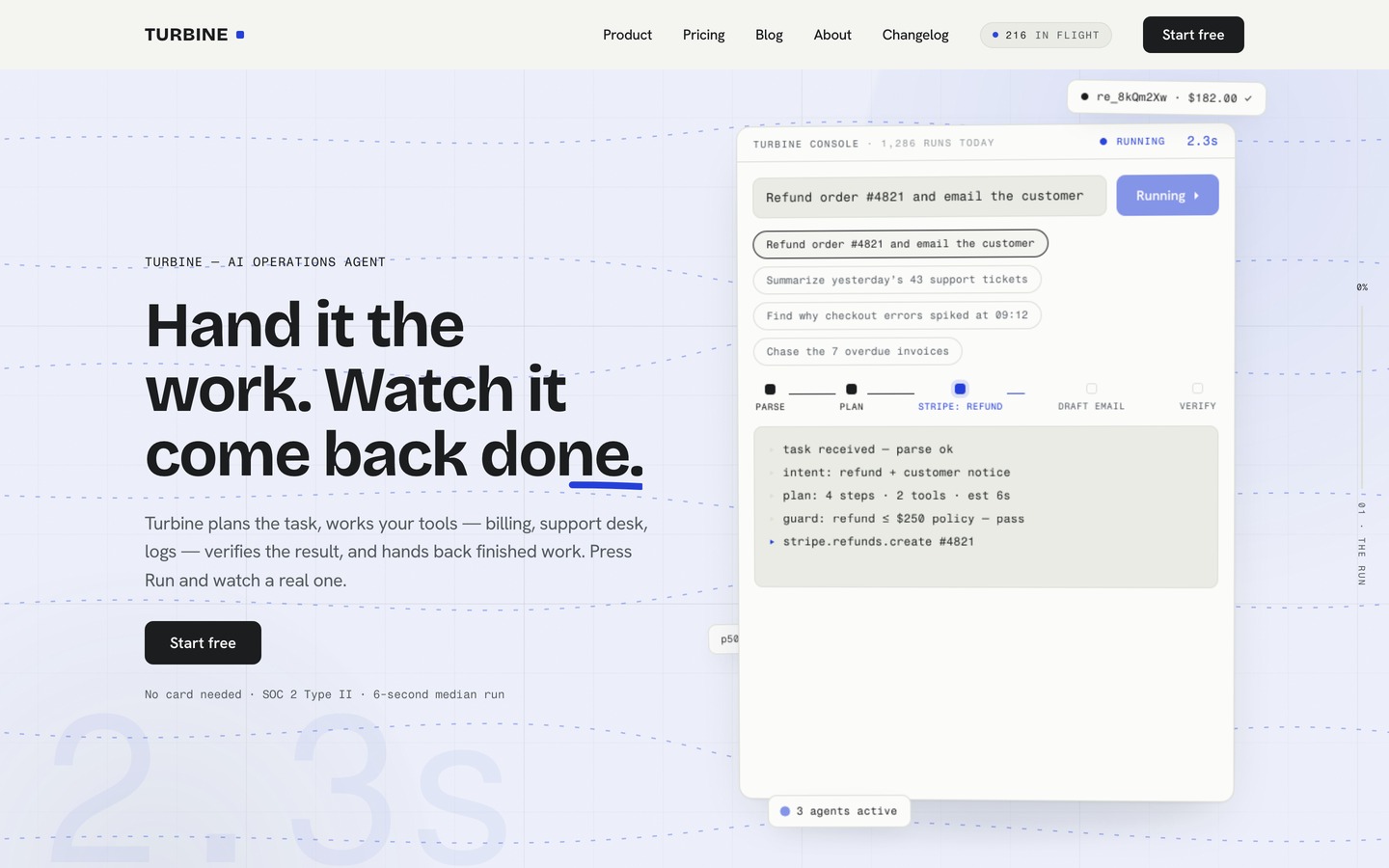
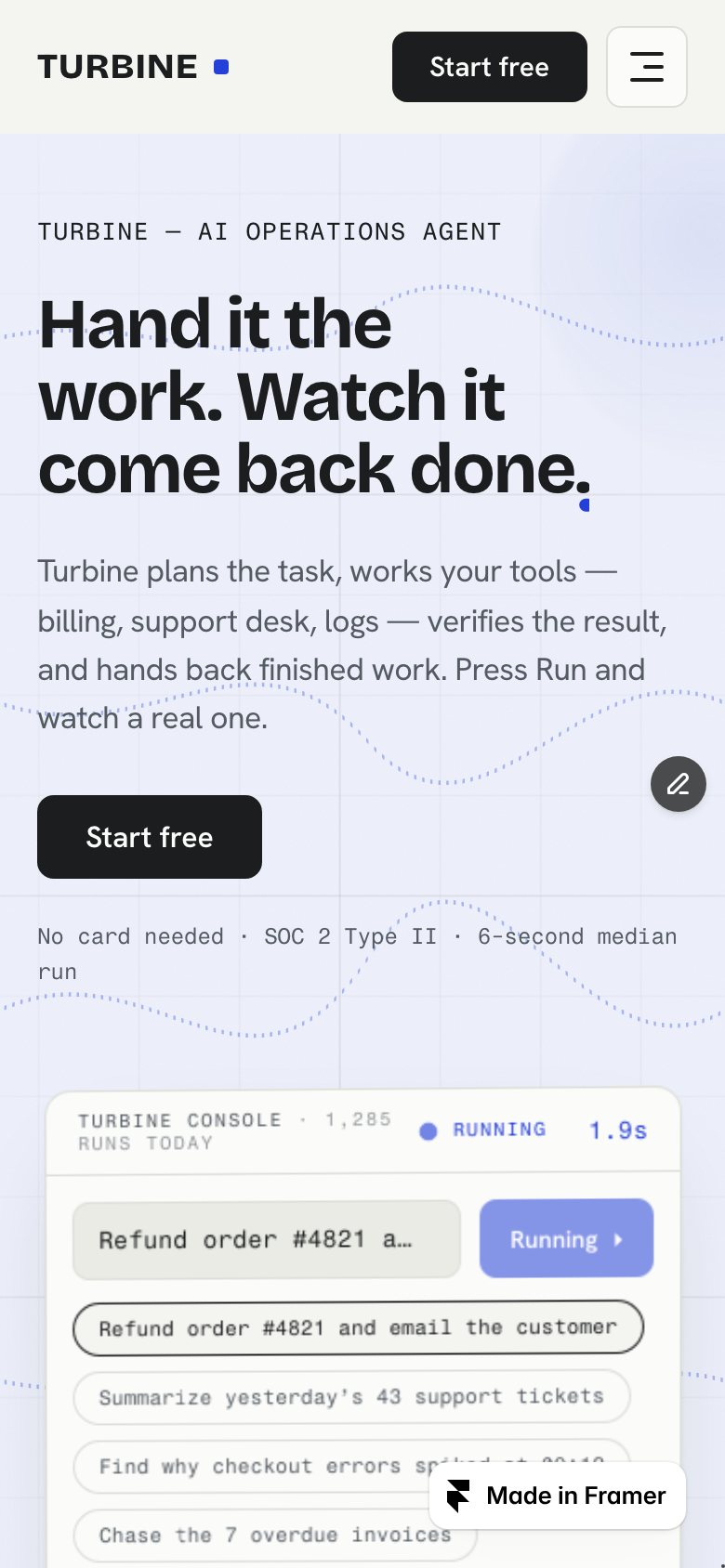
An AI-product site where the product actually runs: press Run and a live console plans the task, works the tools, verifies and hands back the result against a ticking timer. Around it sit live capability instruments, a scroll-scrubbed breakdown of one run, rolling-number pricing and a changelog that types itself.
What's inside TURBINE
Signature moments
- A hero where the product runs
Pick one of four tasks and press Run: the console plans, works the tools and lands a finished result with a live timer.
- The run, taken apart
A pinned section scrubs through one run stage by stage as the visitor scrolls, opening each step’s log. Phones get a clean stacked version.
- A room that goes live
While a run is working, the hero washes blue, current-lines flow and a giant ghost timer ticks — all of it settles when the work lands.
- The machine room
A dark inset window mid-page with a glowing count of runs in flight that drifts live, with the platform metrics beside it.
Content & CMS
- Runs you edit in the CMS
Every task in the hero console is a CMS row — stages, log lines and the output card. Add a row and a new task chip appears.
- A changelog that types itself
Releases live in the CMS, and each row types itself onto the page as it scrolls into view.
- A blog with designed covers
Six posts with their own cover plates and pages, and a next-post chain that loops back to the first.
- Pricing that rolls
A monthly / annual toggle rolls every price, adds “2 months free” chips and spotlights the recommended plan; a compare table sits on Pricing.
Built right
- A proper phone menu
Tablet and phone layouts, and a phone menu with numbered links and a full-width “Start free” button.
- A contact form that really sends
The contact page is a native Framer form — submissions land in your Framer inbox, with a queued receipt on screen.
- Restyle it from the panel
Colour styles repaint the whole site, and three font fields in one place swap the typefaces everywhere.
- Motion that holds 60fps
Every layer runs on one ticker at a steady 60fps; reduced-motion visitors get a calm, fully settled page.
Every page, ready to go
13 page types come with the remix, each with its own desktop, tablet and phone layout.
Who TURBINE is built for
A AI SaaS & startups website template built for AI startups, SaaS products, automation tools, developer platforms and any business that sells the way they do.
From remix to live
Pick a licence, pay once, and the remix link lands in your inbox.
Open the Start Here page inside the project: it lists every edit — words, colours, fonts, images, CMS rows — no code.
Add your domain in Site Settings and hit Publish. Email support from the person who built it if you get stuck.
Always included
- A Start Here page inside the project — every edit this template needs, listed
- Edit without code — colours, fonts, text and images from the properties panel and the CMS
- Free lifetime updates
- Email support: solofoundryhq@gmail.com
Pick a licence
Want it set up for you? We fit TURBINE to your brand, colours, words and photos and hand you the finished site. From $349, template included.
See setup packages →Questions, answered
Do I need to know how to code to use TURBINE?
No. TURBINE is a Framer template: every word, colour, font and image is edited on the Framer canvas or in the properties panel and the CMS. A Start Here page inside the project lists every edit a AI SaaS & startups site needs.
Do I need a paid Framer plan?
Not to remix and edit — a free Framer account is enough. To publish on your own domain you'll need a Framer site plan, paid to Framer, not to us.
What do I get after paying?
The remix link by email, instantly. One click copies the whole TURBINE project — 13 page types, every section and CMS collection you see on the live preview — into your Framer account. Pro and All-Access orders also receive the SoloFoundry bonus kit.
Can I use TURBINE for client work?
Standard covers one website. Pro and All-Access cover unlimited websites, including client projects. Reselling the template itself isn't allowed.
Is TURBINE responsive?
Yes. TURBINE ships with its own desktop, tablet and phone layouts, a real mobile menu, and it is checked down to 320 px wide before it is listed.
Can I get a refund?
All sales are final, because the full project is delivered the moment you pay. Explore the live preview first, and email solofoundryhq@gmail.com with any question before you buy.