Dateline — the news & magazine Framer template
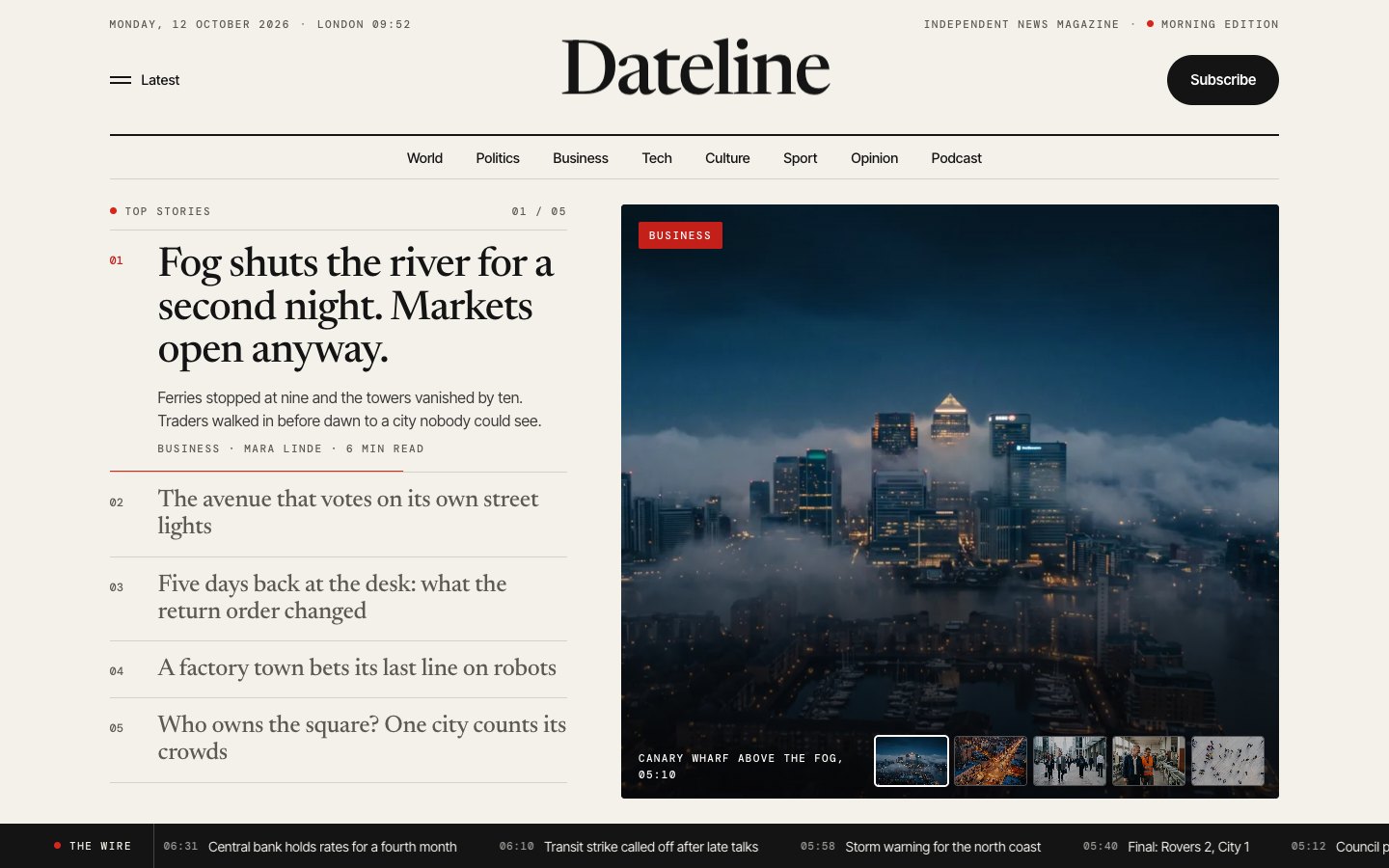
The news and magazine template with a front page that reacts: point at a headline and its picture takes the frame, under a live date line and above a running wire ticker. Then six section fronts that switch on hover, a long read with a pinned picture that wipes chapter by chapter, a latest feed with a most-read list, columnists who open with their column, a podcast with episode pages, a bureau map and a morning newsletter form — plus article, section, author and episode pages from the CMS, a subscribe page with plans, editorial standards, corrections, advertise, careers and a tip form. 51 pages, 8 CMS collections, free.
What Dateline is
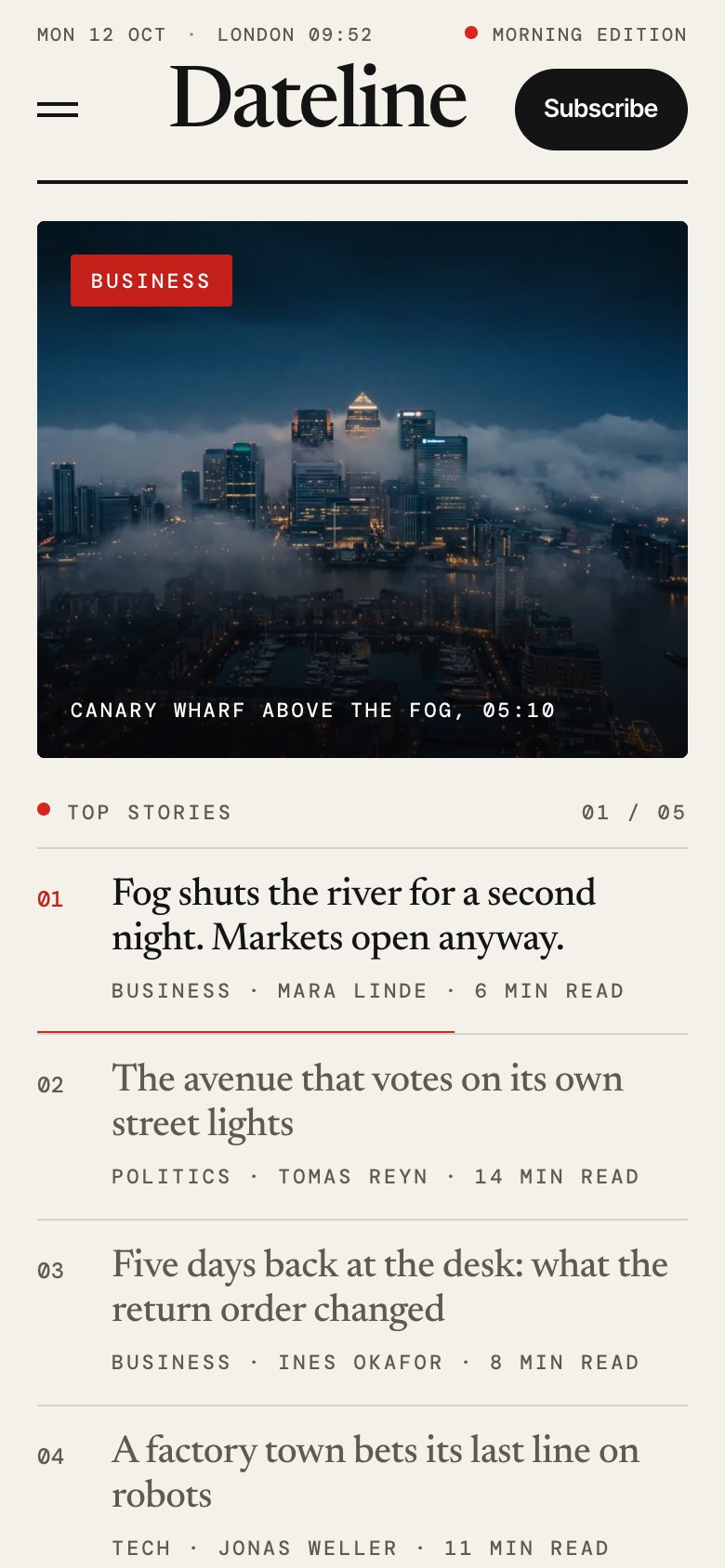
A newspaper front page that reacts: point at a headline and its picture takes the frame, while a live date line and a wire ticker keep the page moving. Behind it: six section fronts, article pages from the CMS, columnists, a podcast with episode pages, a newsletter form and a subscribe page with plans.
What's inside Dateline
Signature moments
- A front page driven by its headlines
Five top stories beside one big picture; hover or focus a headline and its photograph cross-fades into the frame. Left alone, it advances.
- A live date line and a wire ticker
Today's date, the city clock and the edition by the hour sit above the masthead; a ticker of short wire lines runs along the bottom.
- Section fronts that switch on hover
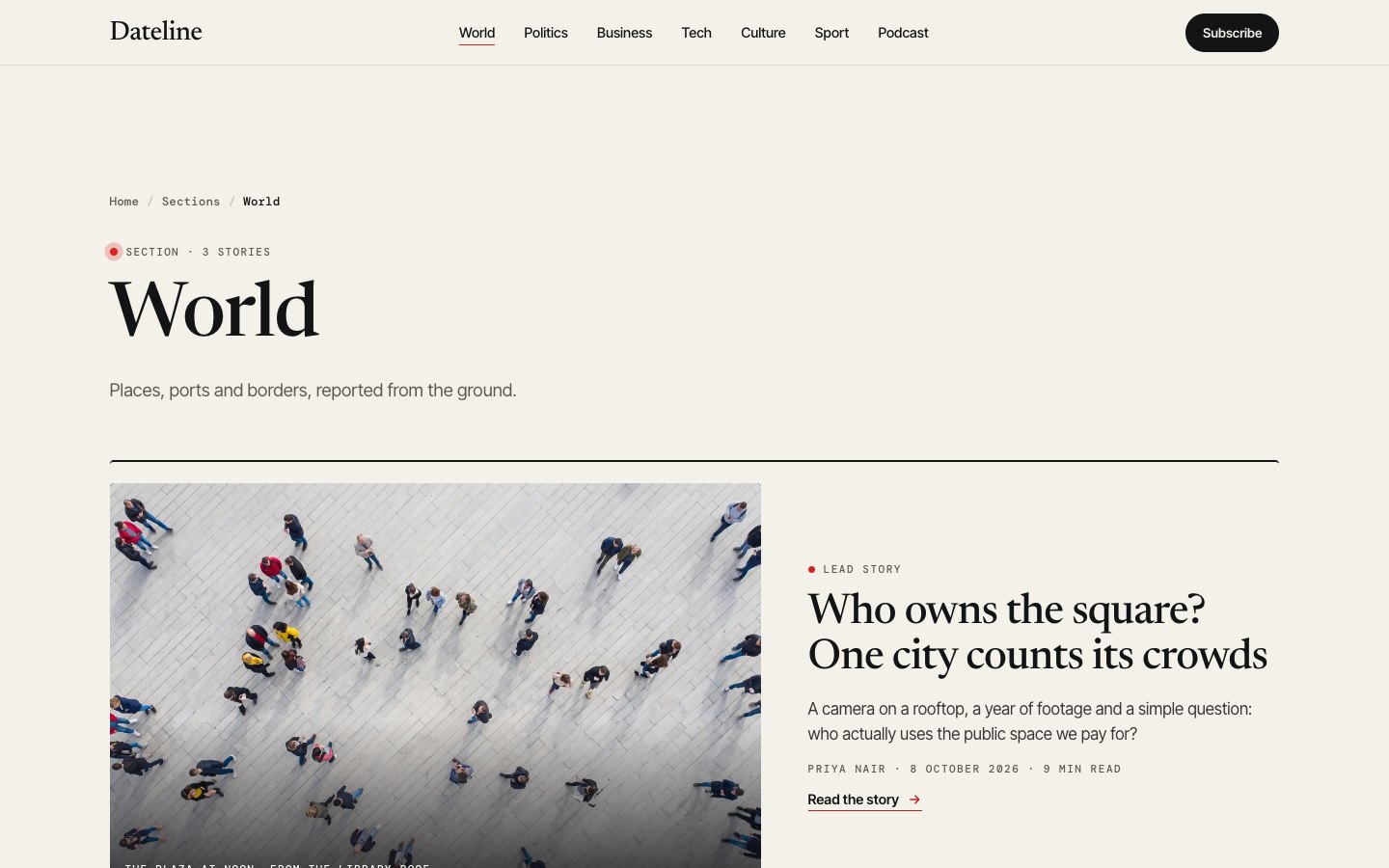
Six sections as tabs: point at one and its lead picture and stories take the panel, with nothing below it moving.
- A long read with a pinned picture
One feature told in four chapters; the photograph stays pinned and wipes to the next as each chapter scrolls past.
Built to be read and joined
- Article pages made for reading
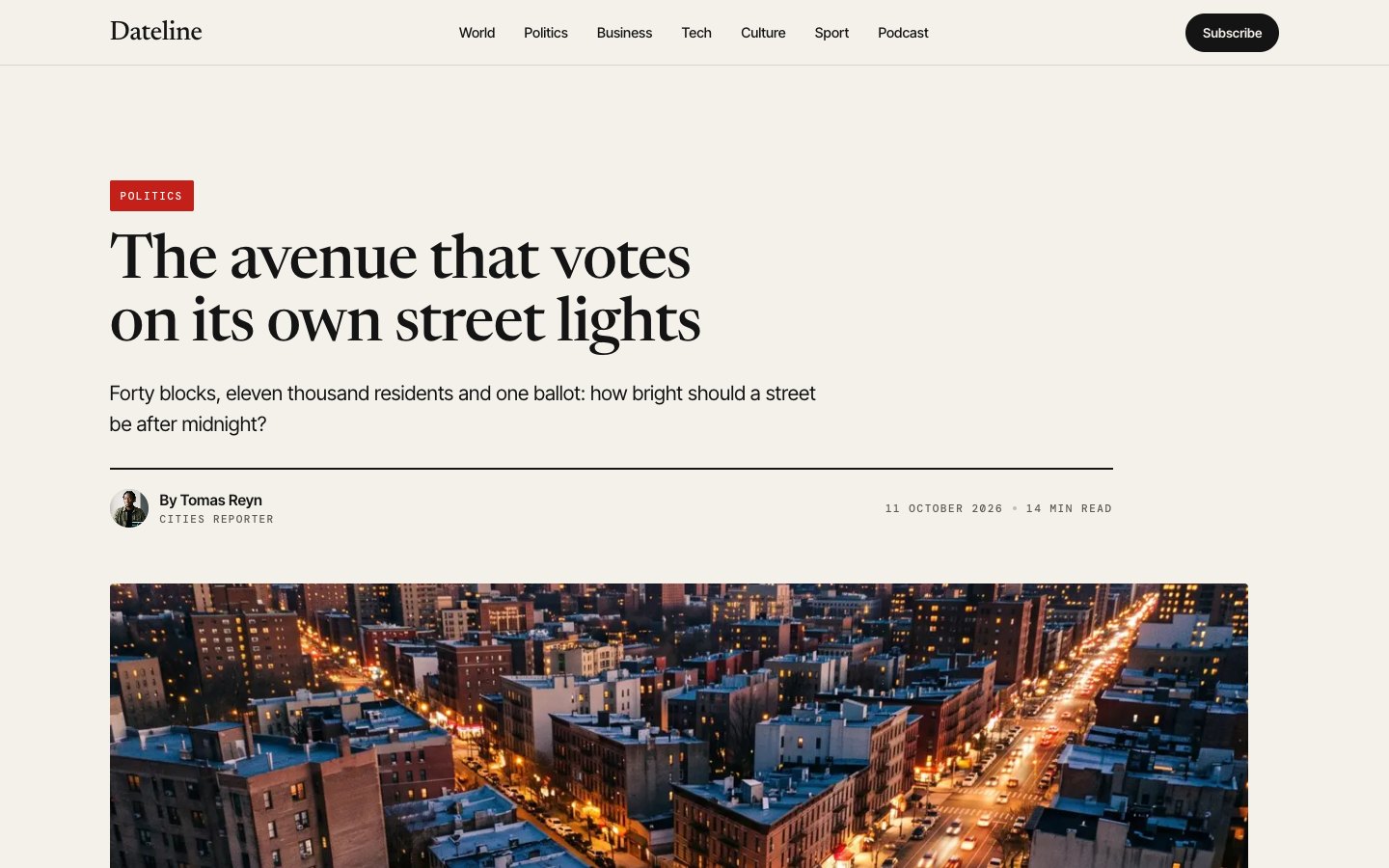
Section tag, byline with the author's face, a captioned picture, a narrow reading column, contents for long pieces and more from the section.
- Columnists and author pages
A row of portraits that opens on hover with each writer's latest column, an authors page and a page per author with their stories.
- A podcast with episode pages
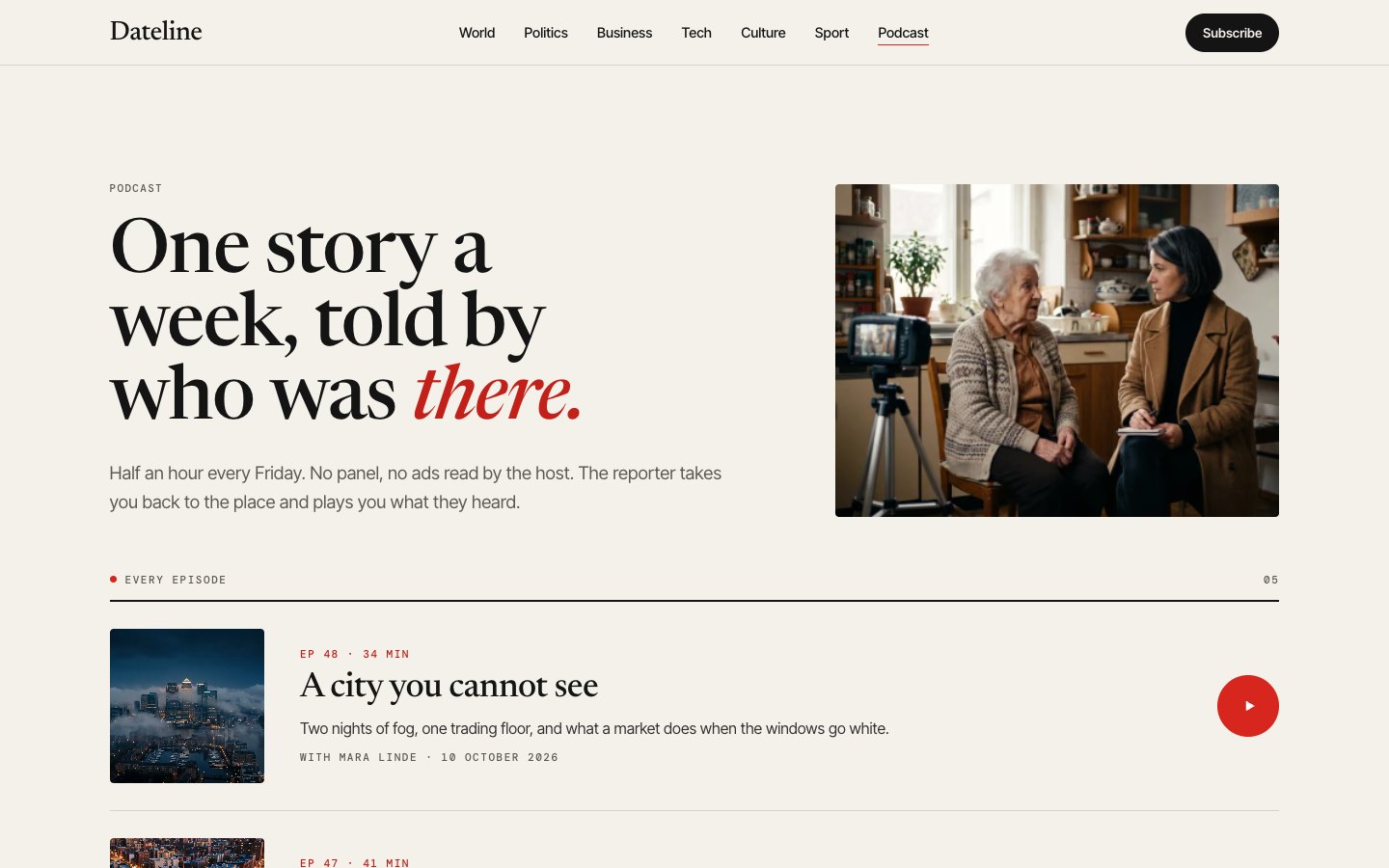
Episode rows that unfold with the cover beside them, a podcast page, and a page per episode with notes, guest and a player slot.
- A newsletter form and subscribe plans
A morning-edition signup with a real labelled email field, a newsletter page with past issues and three plans read from the CMS.
Content, trust & care
- Eight CMS collections
Site, Articles, Wire, Sections, Authors, Episodes, FAQ and Plans; articles, sections, authors and episodes get their own pages.
- Standards, corrections and a tip form
Editorial standards and a corrections policy next to privacy, terms and cookies, and a contact form sorted by tip, correction or letter.
- Eight colour styles and a fonts switch
Every colour comes from eight Styles bound on each section, so one edit repaints the site; a custom fonts switch swaps the families.
- Checked for keyboard and contrast
Every link and control is reachable with Tab and shows a ring; text contrast and phones down to 320 px were measured on the pages.
Every page, ready to go
12 page types come with the remix, each with its own desktop, tablet and phone layout.
Who Dateline is built for
A news & magazine website template built for online newspapers, magazines, blogs, editorial teams and any business that sells the way they do.
From remix to live
Click Remix and the whole project copies into your Framer account.
Open the Start Here page inside the project: it lists every edit — words, colours, fonts, images, CMS rows — no code.
Add your domain in Site Settings and hit Publish. Email support from the person who built it if you get stuck.
Always included
- A Start Here page inside the project — every edit this template needs, listed
- Edit without code — colours, fonts, text and images from the properties panel and the CMS
- Free lifetime updates
- Email support: solofoundryhq@gmail.com
Get it
Want it set up for you? We fit Dateline to your brand, colours, words and photos and hand you the finished site. From $79, template included.
See setup packages →Questions, answered
Do I need to know how to code to use Dateline?
No. Dateline is a Framer template: every word, colour, font and image is edited on the Framer canvas or in the properties panel and the CMS. A Start Here page inside the project lists every edit a news & magazine site needs.
Do I need a paid Framer plan?
Not to remix and edit — a free Framer account is enough. To publish on your own domain you'll need a Framer site plan, paid to Framer, not to us.
What do I get?
The plain remix link: one click copies the whole Dateline project into your Framer account. No email, no sign-up with us.
Can I use Dateline for client work?
Yes — the free licence covers your own site or a client's. Reselling the template itself isn't allowed.
Is Dateline responsive?
Yes. Dateline ships with its own desktop, tablet and phone layouts, a real mobile menu, and it is checked down to 320 px wide before it is listed.
Can I get a refund?
It's free — remix it and try it. If you want more, All-Access is $199 once for every template we've made and every one we'll make.